Make a Minecraft skin (MC skin), free
Paint your own skin (a Minecraft skin, aka mcskin) while a 3D preview updates with every pixel, mirror your strokes, then download it with one click or share it in the gallery.
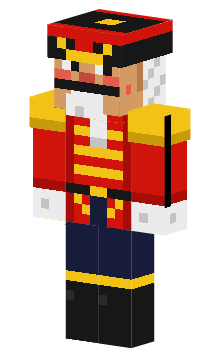
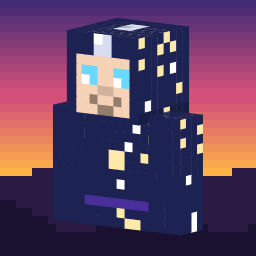
Featured skins
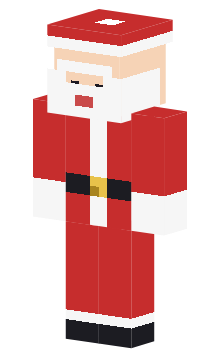
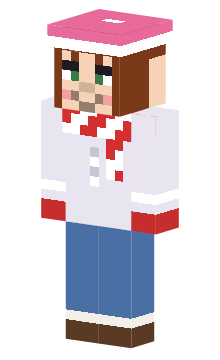
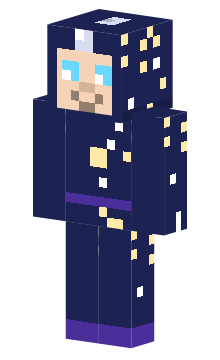
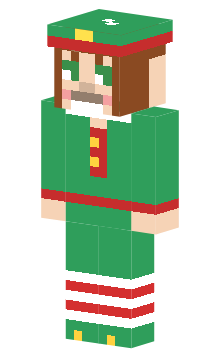
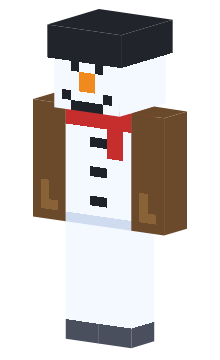
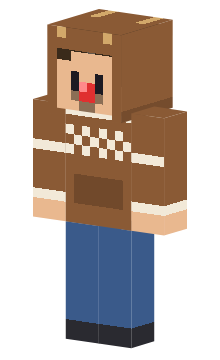
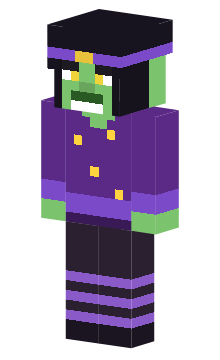
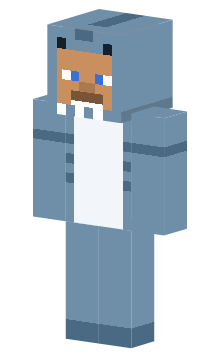
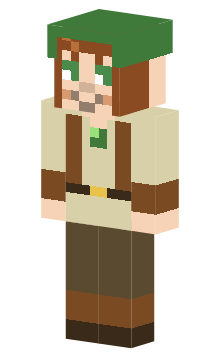
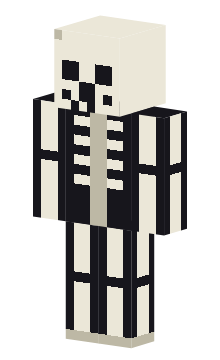
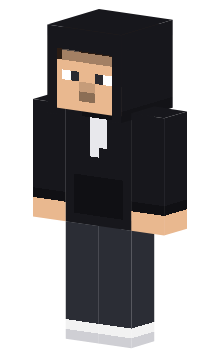
Create your own Minecraft skin (mcskin)
This skin maker runs in your browser: pick a colour, paint on the flat texture, mirror your strokes and watch the character change with every pixel. No sign-up needed to edit and download.
Free Minecraft skins, made and shared in your browser
MC Skins Free is a free home for Minecraft skins (mcskins). It brings three things together: a skin editor and skin maker (a skin creator) that runs in your browser, a gallery of free Minecraft skins from the community, and a download button on every skin. You do not install anything, there are no watermarks, and you do not need an account to make or download a skin.
Whether you are looking for Minecraft skins to download, MC skins that nobody else wears, or a skin editor that lets you change one pixel at a time, you start in the same place. Pick a skin on the skins page or open the editor, and the 3D preview shows the result on the character straight away.
Find and download free Minecraft skins
The skins page lists every public skin. Filter by model (Classic or Slim), by main colour, by tag or by words in the name and description, and sort by newest, top rated or trending. The featured collection is picked by hand, so it is a good place to start when you just want something that looks great.
Download a skin in one click
Open any skin to turn it around in 3D, then press the download button. You get a 64x64 PNG that is ready for the game. Every skin has its own link, so you can send the exact skin to a friend. If a skin is almost right, use the editor button on its page, change what you do not like and download or publish your own version; the original author stays credited as the source.
Classic or Slim: pick the right model
Minecraft has two player models. Classic arms are 4 pixels wide and Slim arms are 3 pixels wide; everything else is the same. A skin made for one model still loads on the other, but the arms look too wide or leave a gap, so choose the model that matches. Every skin shows which one it is, and you can browse only Classic skins or only Slim skins.
Make your own skin with the skin editor
The skin editor is a pixel painter made for Minecraft skins. Start from a blank Classic or Slim character, from one of the ready-made starter skins, or open a PNG from your device. Paint on the flat 64x64 texture, and the 3D preview updates with every pixel without changing the angle you turned it to.
Tools that save time
Mirror drawing paints the other side of the character for you, which halves the work on arms, legs and faces. Face presets stamp eyes, brows and mouths onto the head. The shaded replace fill recolours a whole colour ramp at once, so a green jacket becomes a blue one and keeps its highlights and shadows. You also get pen, brush, line, rectangle and ellipse, a colour picker, recent colours, a palette and a long undo history. All shortcuts are single keys.
Also known as: the names people use for Minecraft skins
The same things are searched for in many ways. This is what the common short forms mean on this site.
MC skins, mcskins, mcskin, skin MC
MC is short for Minecraft. MC skins, mcskins, an mcskin and skin MC all mean Minecraft skins: the image file that gives your character its look.
Skin maker, skin creator, skin generator
These words name the same kind of tool as a skin editor: a pixel painter for the skin file. Our skin editor is one that you paint in yourself; it does not generate skins on its own.
Java, Bedrock, PE and mcpe
A skin is a 64x64 PNG file, and the same file works on Java Edition and on Bedrock Edition, which includes the pocket edition (PE, also written mcpe) on phones and tablets. Only the arm model has to match.
Classic (Steve) and Slim (Alex)
Classic is the wide-arm model, known as Steve, with arms 4 pixels wide. Slim is the model known as Alex, with arms 3 pixels wide.
Skin download and skin file
A skin download is the skin saved as a PNG file. Press the download button on any skin to get it in one click, free and without an account.
HD and 128x128 skins
Standard skins are 64x64 pixels, and the old 64x32 size opens too and is upgraded to 64x64. HD skins with 128x128 pixels work in the editor and the gallery: they are labelled HD and meant for Bedrock Edition, and a 64x64 copy for Java Edition is made automatically.
Share your skins and ask for new ones
Publishing is free. Sign in with your Microsoft account, give the skin a name and optional tags, and you get a link to share. Your public name is a handle that you choose; your e-mail address is never shown.
Cannot find the skin you imagine? Place a bounty: describe it, it is free, and let creators answer. You earn karma with upvotes, invitations and accepted bounties.
Browse Minecraft skins by type
Jump straight to a list:
Questions and answers
Is this Minecraft skin maker really free?
Yes. Editing, downloading and publishing are free. There are no watermarks and no paid tiers.
How do I use my skin in the game?
Download the PNG, then choose it as your skin in the game or its launcher. Pick the arm model that matches: Classic for 4 px arms, Slim for 3 px arms.
What is the difference between Classic and Slim?
Only the arms: Classic arms are 4 pixels wide, Slim arms are 3 pixels wide. The editor shows the model you choose and exports the right file.
Do I need an account?
Not to edit or download. You only sign in with Microsoft to publish, vote or place bounties. Your draft stays in your browser and is never sent anywhere until you publish.
Which skin files work?
A 64x64 PNG, or an HD 128x128 PNG for Bedrock Edition. The old 64x32 format opens too and is upgraded to 64x64 automatically.
Can I change a skin that someone else made?
Yes, open any public skin or a link in the editor, change it and publish your version. It shows a "based on" credit to the original author.
What is an mcskin, and are MC skins the same as Minecraft skins?
Yes, they are the same thing. MC is short for Minecraft, so MC skins, mcskins, an mcskin and skin MC all mean Minecraft skins: the 64x64 PNG that decides how your character looks. This site is a free editor and gallery for them.
Do these skins work on Java and Bedrock (PE)?
Yes. A skin is a plain 64x64 PNG, and the same file works in Java Edition and in Bedrock Edition, including the pocket edition (PE, also written mcpe) on phones and tablets. Only pick the arm model, Classic or Slim, that matches your game.
Is a skin maker or skin creator the same as a skin editor?
Yes, these are different names for the same kind of tool. Ours is an editor in which you paint the skin yourself, with a live 3D preview; it does not generate a random skin for you. Start from a blank character or a starter skin.